Open
Built for families who want serious offshore capability,
premium comfort and the freedom to fish, cruise or entertain.
Open 402
NEW Open 352
NEW Open 322
NEW Open 302
Open 282
Open 262
Open 252
Open 232
Open 212
Heritage
A refined crossover lineup designed for coastal cruising, ample seating,
family days and some fishing when the moment calls for it.
NEW Heritage 321
Heritage 261
NEW Heritage 251
Heritage 231
Masters
Shallow-water performance, fishing-focused layouts and
everyday comfort built for family life and fishing.
Perfect blend of offshore capabilities with inshore conveniences.
NEW Masters 288
Shallow-draft bay boats built around casting space, livewells and skinny-water fishing.
Masters 267
Masters 267OE
Masters 247
Masters 247OE
Masters 227
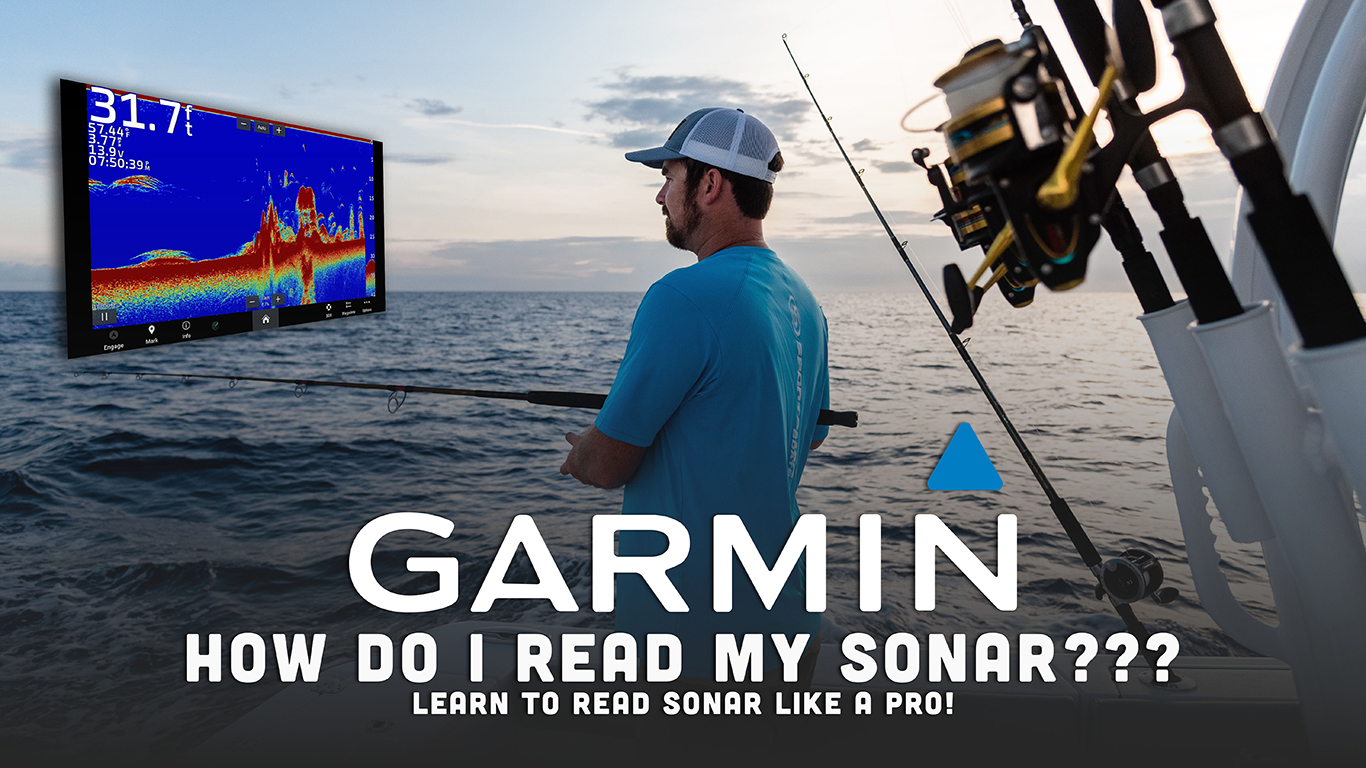
In today's episode of Tech Talk, we are discussing Garmin Marine's sonar and how to read it. Learning to read sonar can help you be a safer boater and catch more fish by knowing what exactly you are seeing. Garmin includes several features to help make your experience using sonar much easier and better suited for your needs.
-
•Adjust the sonar gain and scroll speed to improve clarity and readability depending on whether you are moving or stationary.
-
•In shallow water use a higher frequency beam for a wider bottom read; in deeper water switch to the chirp transducer for a more complete read.
-
•Take advantage of Garmin sonar by marking spots while trolling so you can revisit productive fish or structure later.
Sonar can be a difficult thing to master when it comes to running your boat. There's so many different settings to use and dialing in which settings to use and when can be overwhelming. If you're like many people, you might be wondering what all those marks on your sonar screen mean. Well, I'm here to help you out! On the screen, you'll see various shapes and marks, and each one represents something different. For example, a larger blob may indicate a school of baitfish or a suspended structure, while smaller marks may be single larger fish.
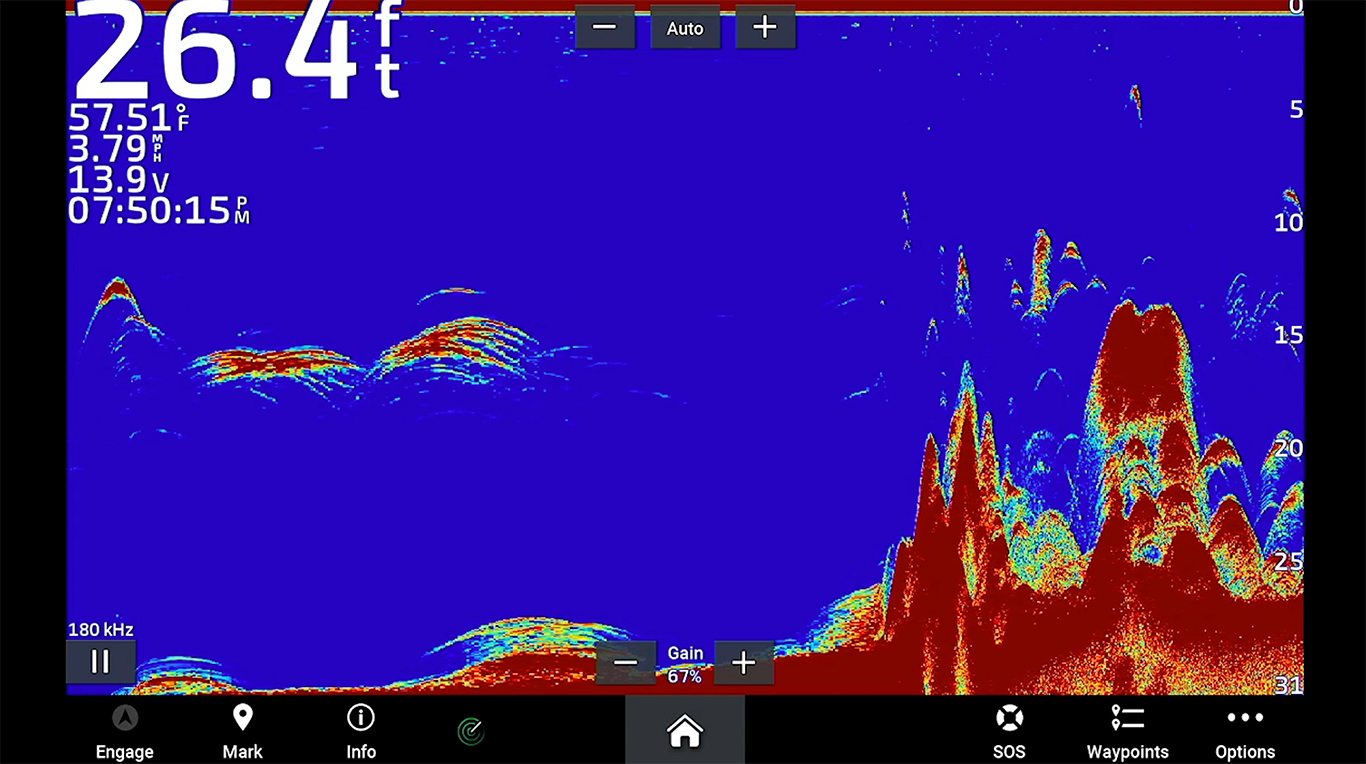
If you want to adjust your sonar for better clarity, you can always go into the settings and play around with the gain. This will help clean up the screen and remove any interference that may be making it difficult to see. Additionally, you can adjust the scroll speed depending on whether you're moving or stationary.
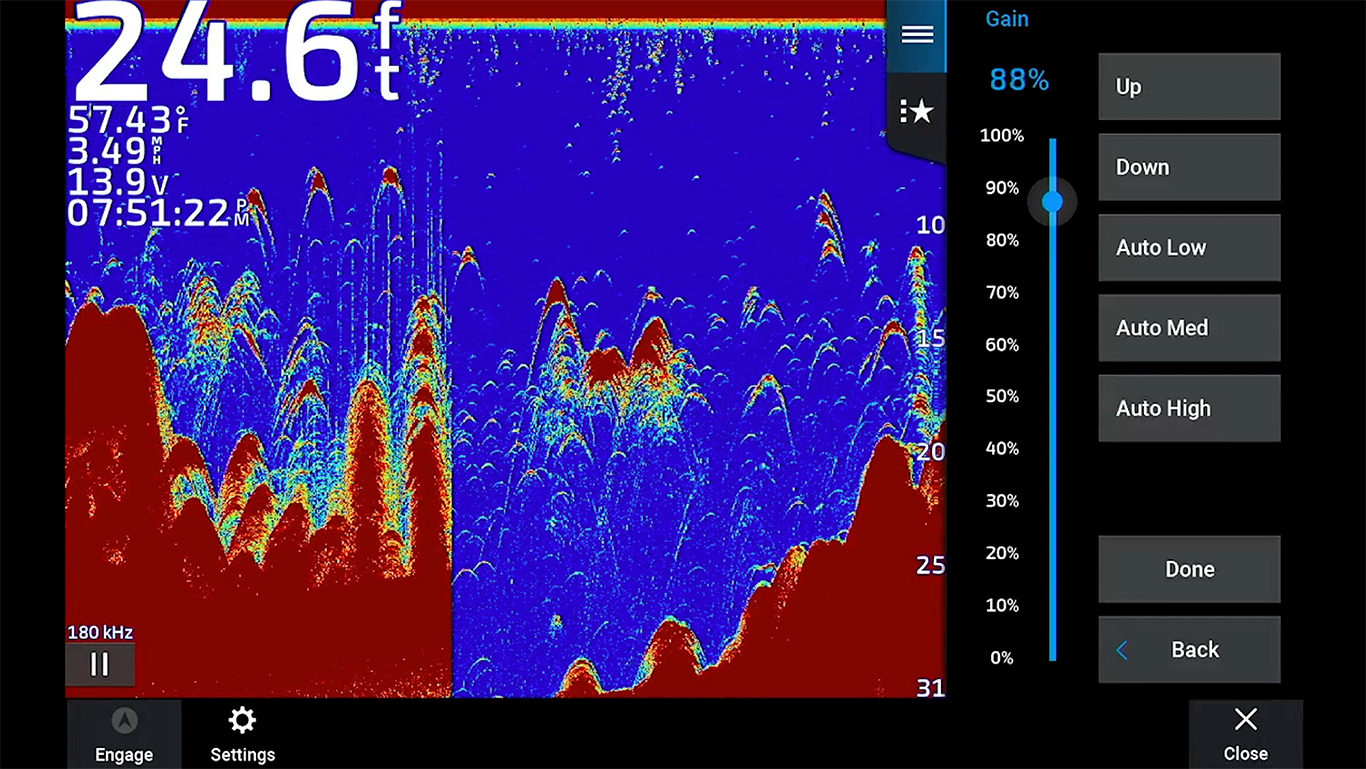
Another tip for fishing in shallower water is to switch to a higher frequency beam. This will give you a wider beam to read the bottom and help hold bottom better. Conversely, in deeper water, switching back to the chirp transducer will give you triple beams for a more comprehensive read.
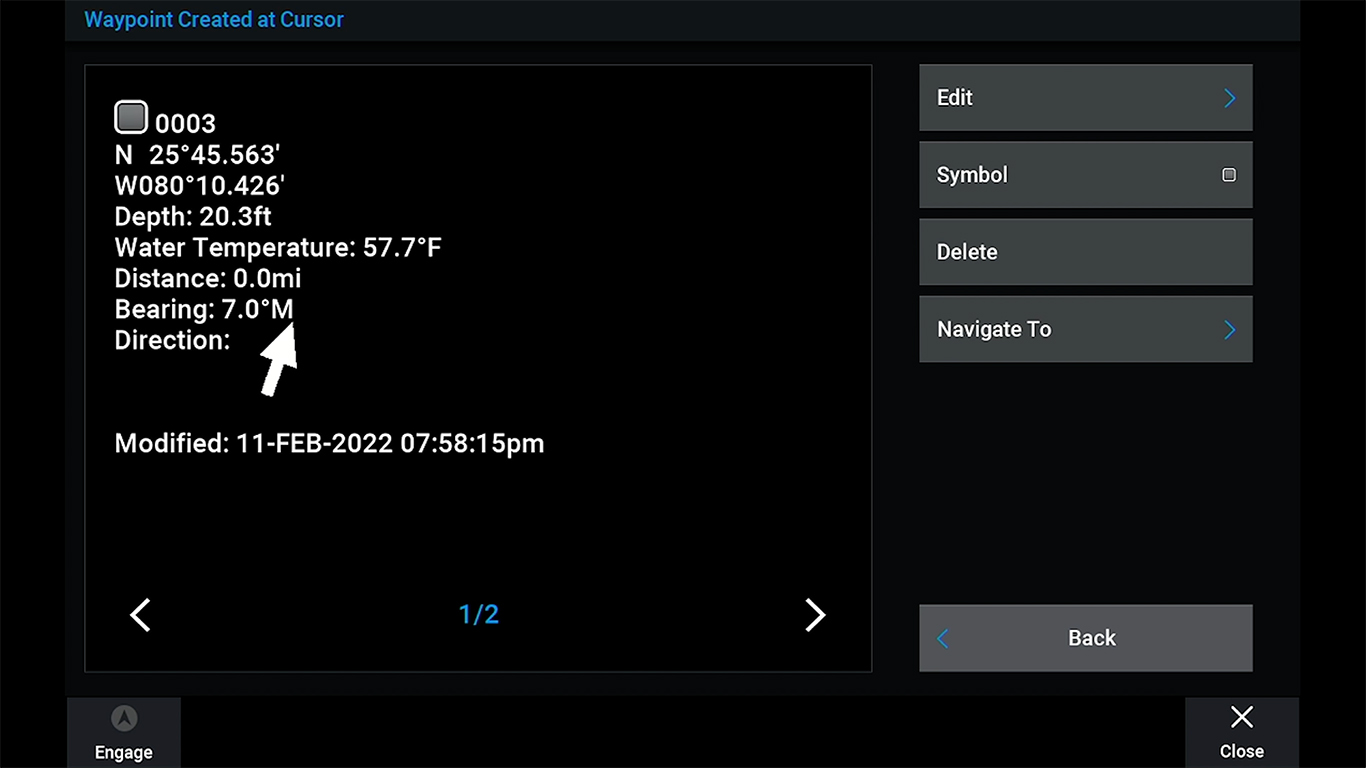
One of the coolest features of Garmin sonar is the ability to mark spots while trolling. If you come across a spot with a lot of fish or good bottom structure, you can mark it, add a symbol, and then come back to it later.
These are just a few of the basics of how to read and adjust your sonar. There are a lot of different adjustments you can make depending on your needs, but hopefully, this gave you a good starting point! To learn a little more on which transducer may be the best option for you, you can CLICK HERE to read all about the B60 and B175 transducers.