Open
Built for families who want serious offshore capability,
premium comfort and the freedom to fish, cruise or entertain.
Open 402
NEW Open 352
NEW Open 322
NEW Open 302
Open 282
Open 262
Open 252
Open 232
Open 212
Heritage
A refined crossover lineup designed for coastal cruising, ample seating,
family days and some fishing when the moment calls for it.
NEW Heritage 321
Heritage 261
NEW Heritage 251
Heritage 231
Masters
Shallow-water performance, fishing-focused layouts and
everyday comfort built for family life and fishing.
Perfect blend of offshore capabilities with inshore conveniences.
NEW Masters 288
Shallow-draft bay boats built around casting space, livewells and skinny-water fishing.
Masters 267
Masters 267OE
Masters 247
Masters 247OE
Masters 227
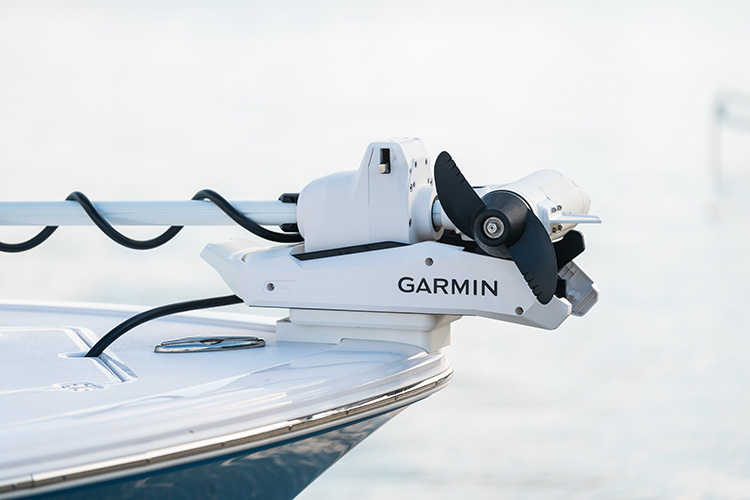
Learn how to update the Garmin Force Kraken trolling motor using the ActiveCaptain® app. Step-by-step setup, connection, and benefits of keeping your system updated.

-
•Updates boost reliability and safety while delivering the latest features and security fixes.
-
•The update process is quick and straightforward: connect to the trolling motor via Wi-Fi, then open the ActiveCaptain app and run the update.
-
•Regular updates future proof your Garmin Force Kraken by improving autopilot and ensuring compatibility with ongoing Garmin enhancements.
Keeping your trolling motor up to date is one of the best ways to ensure reliability, safety, and access to the latest features on the water. Software updates improve performance, add new functionality, and provide important security fixes. Fortunately, updating the Garmin Force Kraken trolling motor is simple and only requires a few steps.
What You’ll Need
Before starting, make sure you have:
- Your Garmin remote
- A smartphone with the ActiveCaptain® app installed
Step 1: Set Up Wi-Fi on the Force Kraken
Using your Garmin remote:
1.Press theMenu button.
2.Scroll down toSettings.
3.SelectTrolling Motor.
4.Go toWi-Fi Mode, then choose ActiveCaptain.
From here, you’ll see your Wi-Fi network name. Create a password that is at least eight characters long. This will allow your smartphone to connect directly to the trolling motor.
Step 2: Connect Your Smartphone
On your smartphone, open your Wi-Fi settings and look for the Force Kraken trolling motor network. Select it and enter the password you just created with the remote.
Step 3: Run the Update with ActiveCaptain
With your phone connected, open the ActiveCaptain® app. The software update will begin downloading. Once the progress bar reaches 100%, the system will start the validation process. This step will also run to 100%. When it’s complete, your Garmin Force Kraken trolling motor will be fully updated.
Why Updates Matter
Every update brings improvements that make your boating experience better. With the Force Kraken, software updates deliver:
• Improved security for reliable operation
• Enhanced autopilot guidance for better control on the water
• Future compatibility with continual updates as Garmin expands system capabilities
The Takeaway
Updating your Garmin Force Kraken trolling motor is quick, simple, and pays off in improved performance every time you’re on the water. With just your Garmin remote, a smartphone, and the ActiveCaptain® app, you can keep your motor running at its best.
If you haven’t checked for an update lately, now is the perfect time. Make updating part of your regular boating routine to keep your equipment ready for whatever the water brings.